Empowering Engineering Excellence: Innovate, Elevate, Deliver.
By 2026, tool tracking is less about finding a clever gadget and more about building a dependable routine. A missing torque wrench can delay a maintenance job, while an outdated spreadsheet may show it on the wrong shelf. Rfid Tool Tracking uses radio-frequency identification tags and readers to help record where tools move. The goal is practical: improve visibility, reduce manual searches, and support clearer check-in and check-out records.
The setup matters. A workshop might attach durable tags to tool cases, place readers near storage cabinets, and connect scan events to an inventory system. Yet metal surfaces, crowded work areas, and poorly positioned readers can affect performance. Not every tool needs the same tag, and a pilot with a small group of frequently misplaced items can reveal problems early. Start there. Teams should also agree on who updates records and how often inventory is checked. Technology cannot fix unclear ownership by itself. A little friction remains.
This guide explores how to plan, select, and deploy an RFID system in 2026, including tag choices, reader placement, software integration, and cost considerations. It also covers limitations, because missed reads and duplicate records still need attention. Results depend on the work environment and the quality of the process, so test assumptions before expanding. A useful system should fit existing workflows, provide records people can verify, and make tool availability easier to understand—not promise perfect tracking.
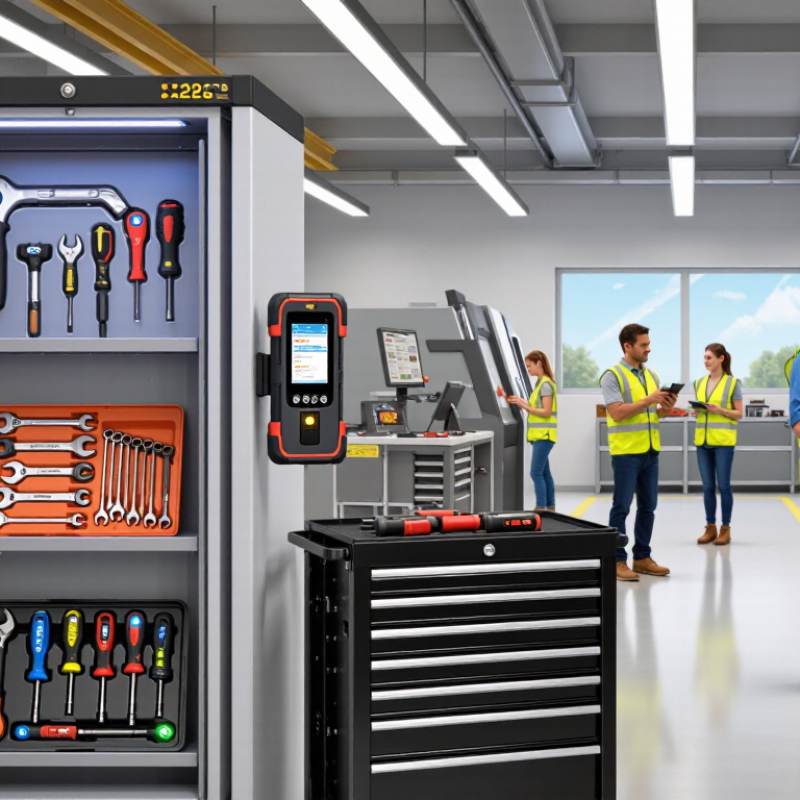
Before selecting RFID tags or readers, define what “tracked” means in your workshop. List the tool classes, quantities, and locations that matter: drills in locked cabinets, torque wrenches at benches, and shared kits moving between crews. Decide whether you need to know a tool’s last-seen zone, its current custodian, or both. These are different requirements. Record how often tools move and how quickly staff must find them.
Tip: Walk the route with a clipboard. Note metal cabinets, handoff points, and places where tools are often left behind. Include damaged, loaned, and rarely used tools in the scope; excluding awkward items may make the pilot look better than reality.
Set a baseline before deployment: count a sample manually, record search time, and document missing or misplaced items. Auburn University’s RFID Lab reported 93% inventory accuracy with RFID versus 65% without it in a 2022 retail study. That is useful context, not a guaranteed result for tools; workshop layouts and metal surfaces differ. Define success with measurable targets, such as fewer search minutes or more accurate weekly counts. Start with one work area and a representative mix of tools. A tidy pilot can still miss the daily chaos. Review exceptions with the people who actually issue and return equipment.
| Planning Dimension | Requirement to Define | Example Planning Value | How to Validate |
|---|---|---|---|
| Tracking objective | Specify the operational problem RFID should address, such as locating tools, recording checkouts, or confirming returns. | Record each tool’s current location and checkout status. | Document the workflow and identify the event that should create or update a record. |
| Inventory scope | List the facilities, storage areas, teams, and tool categories included in the initial deployment. | One maintenance facility, its tool crib, and two work areas. | Compare the proposed scope with site maps, storage locations, and responsible team lists. |
| Tool population | Establish the number of unique tools and distinguish individually tracked assets from bulk-managed items. | Example pilot: 250 individually identified tools. | Reconcile a physical count against the existing asset register; treat this quantity as a planning example, not a universal benchmark. |
| Asset data | Define the minimum information linked to each RFID identifier. | Unique asset ID, tool type, description, home location, status, and maintenance due date. | Check that each required field has a clear source, owner, and update process. |
| Tool materials and conditions | Identify metal surfaces, liquids, narrow mounting areas, heat, vibration, and cleaning exposure that may affect tag selection or reading. | Separate tools into metal-bodied, non-metal, and harsh-environment groups. | Test candidate tags on representative tools in their actual operating and storage conditions. |
| Identification method | Select a tag type and attachment method suitable for each tool, while keeping the tag associated with the correct asset record. | Use durable, tool-appropriate tags; evaluate on-metal designs for metal tools. | Check attachment security, readability, and tag survival during normal tool use. |
| Read events and locations | Define where RFID reads are needed and what each read should mean. | Tool-crib issue and return points, plus selected storage or work-area checkpoints. | Test read zones with tagged tools present and absent to identify missed reads and unintended reads. |
| Required performance | Set measurable expectations for inventory completion, event capture, and record-update timing. | Example target: complete a tool-crib inventory within 5 minutes and show status updates within 1 minute. | Measure results in a site pilot; adjust targets to the workflow, environment, and system configuration. |
| Users and workflows | Define who issues, returns, searches for, and audits tools, including any exception-handling steps. | Tool-room staff record transactions; supervisors review overdue or unreturned tools. | Walk through normal transactions, missing-tool cases, and incorrect-location records with users. |
| System integration | Identify the inventory, maintenance, or work-order system that will receive RFID events and asset updates. | Map the RFID asset ID to the corresponding asset record in the existing system. | Test data mapping, duplicate handling, access permissions, and recovery from connectivity interruptions. |
| Success measures | Choose baseline and post-pilot measures that reflect the stated tracking objective. | Inventory time, checkout-record completeness, overdue-tool count, and time spent searching. | Capture a baseline before deployment and compare it with results from the same process after the pilot. |
| Scope control | Record what is excluded so the pilot remains achievable and its results are interpretable. | Exclude consumables, personal items, and locations without an agreed read workflow. | Review exclusions with stakeholders before tagging begins; add them later only through a documented scope change. |
| Planning note: Example quantities, time targets, and workflows are starting points for requirements definition. RFID read performance depends on the tag, reader, tool materials, placement, and site conditions, so validate the design with representative tools and an on-site pilot. | |||