Empowering Engineering Excellence: Innovate, Elevate, Deliver.
A busy checkout has little patience for a printer that hesitates. A POS 80mm Printer must handle long receipt queues, crisp text, and frequent paper changes without slowing staff. In a small shop, the difference shows up quickly: a cut-off barcode, a faint return policy, or a roll that runs out during a rush.
Retail POS hardware consultant Maya Chen puts the buying test this way: “Choose for the busiest hour, not the quietest one.” That is useful advice, though speed alone does not tell the whole story. Retailers should also compare print clarity, cutter durability, connection options, driver support, and how easily each model fits existing checkout software. Small details matter. A loud cutter can disrupt a quiet boutique; a bulky case may crowd a narrow counter.
This guide examines seven 80mm POS printers for different retail needs, from compact counters to high-volume tills. It weighs practical specifications alongside everyday usability, so the shortlist is easier to compare. A strong model on paper may still frustrate staff if setup is awkward. No printer fits every store. The right choice depends on transaction volume, counter space, and the systems already in place. Some trade-offs remain, and that deserves an honest look.
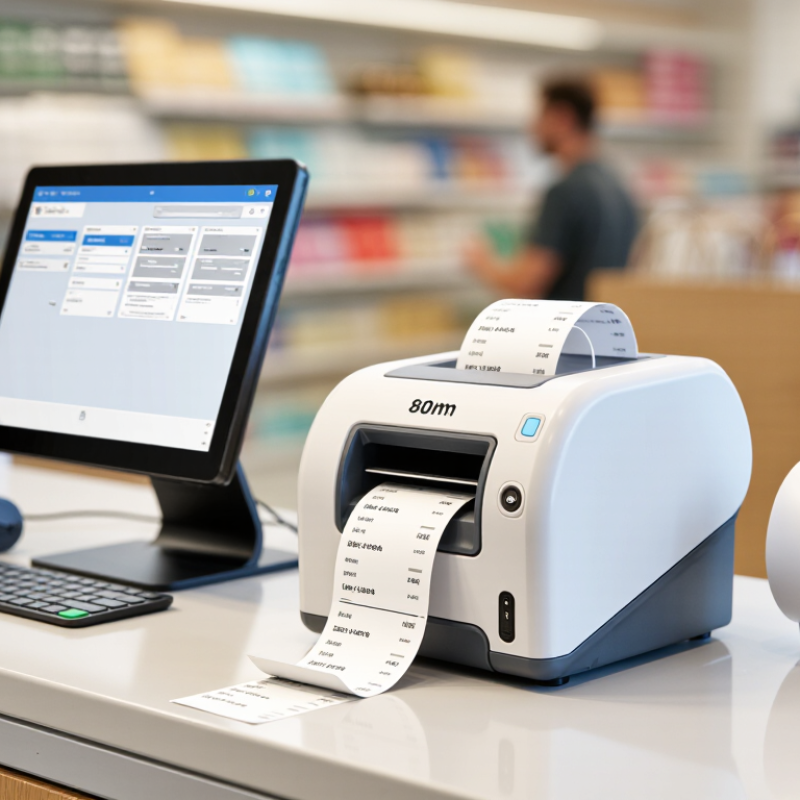
An 80mm POS printer is a receipt printer designed to handle paper rolls about 80 millimeters wide. The measurement describes the paper, not the printer’s body or the exact width of its printed area. That detail is easy to miss. Depending on the model and margins, text and graphics may occupy less than the full roll width.
Many retail units use direct thermal printing. A heated print head creates text on heat-sensitive paper, so the printer does not need ink cartridges or a ribbon. The result is quick, quiet receipt printing at a checkout counter. Short receipts can show item names, prices, tax details, and return instructions clearly. But thermal paper can fade with heat, sunlight, or time, so it may not suit every record-keeping need.
For a shop, paper width is only one part of the decision. Check the printer’s supported connection, cash-drawer port, print speed, and compatibility with your point-of-sale software. A wide roll can fit more information on each line, which may help with longer product names or itemized receipts. It also takes more counter space than a compact printer. Small differences matter. Measuring the checkout area and testing a sample receipt can reveal issues that a specification sheet will not. That practical check is worth the extra minute.
Choosing an 80mm POS printer means evaluating the whole checkout routine, not just its advertised speed. Check the printable width, cutter life, paper-loading method, and compatibility with your POS software. An 80mm roll does not always mean an 80mm printed line; confirm the usable width with a sample receipt. Test the printer during a busy period. Test the worst case.
Reliability matters when queues form. Print several consecutive receipts, then check for fading, paper jams, uneven cuts, and missed characters. Confirm that the connection type suits your counter setup, whether wired or wireless, and ask how drivers and replacement parts are supported. The Federal Reserve’s 2024 Diary of Consumer Payment Choice reported that cash made up 16% of consumer payments in 2023. Receipts still matter across payment types, but that figure is a useful reminder not to overlook cash-handling workflows.
Review the real cost per roll and the time needed to reload paper. A lower purchase price can be less attractive if staff must clear jams during a rush. The National Retail Federation’s 2023 National Retail Security Survey reported average retail shrink of 1.6% of sales for fiscal 2022. A printer cannot prevent shrink, but clear, consistent transaction records can support routine checks. Easy to miss. I would also print receipts with long item names and returns, because a neat test line may hide awkward wrapping in daily use.
For busy retail counters, the best 80mm POS printer is the one that fits the store’s checkout routine. A wired USB model suits a fixed till with a nearby computer. An Ethernet printer can serve several checkout stations on a stable network. For mobile payment areas, a Wi-Fi model avoids extra cables, while Bluetooth works well with compatible tablets. Check operating-system and POS software support before buying; connection options alone do not guarantee compatibility.
Seven useful choices cover different needs: a fast thermal model for long queues, an Ethernet model for shared counters, a Wi-Fi model for flexible layouts, a Bluetooth model for tablet checkout, a compact unit for narrow counters, a printer with an automatic cutter for frequent receipts, and a durable model for high daily print volumes. Thermal printing needs no ink, but receipt paper must be stored away from heat and sunlight. Small detail. It can save reprints.
Compare print speed, noise, cutter design, warranty, and paper loading. A clear cover makes roll checks easier during a rush. Also consider service access and replacement parts, not just the purchase price. A faster printer may not improve checkout if the network is unreliable. And a compact model can feel cramped when staff change rolls often. That trade-off is easy to miss.
When comparing 80mm POS printers, check the actual printable width, not just the paper roll size. Many models accept 80mm rolls but print on a narrower area. That difference can wrap item names or prices onto extra lines. Small details matter. Compare resolution, too: 203 dpi is common, while higher resolution can make small text and simple graphics sharper.
Print speed is useful during a rush, but the listed maximum may not reflect everyday performance. Check whether the figure applies to standard text or dense receipts. Also compare cutter life, paper-loading design, and supported roll diameter. A drop-in loading path can save time when staff replace rolls quickly. An automatic cutter is convenient, though its expected life should match the shop’s receipt volume.
Connection options deserve close attention. USB may suit a single checkout, while Ethernet can simplify shared counter setups; wireless support may help mobile stations. Confirm compatibility with your POS software and operating system, plus any cash-drawer connection you need. Review the warranty and operating-temperature range against your store conditions. A specification table can still hide awkward setup steps, so check the installation requirements. I would not rank models by speed alone; that’s an easy mistake.
Choosing an 80mm POS printer starts with your busiest checkout moment. Estimate daily receipts, then check print speed, cutter durability, and the time needed to reload paper. An 80mm roll can fit more item details than a narrow roll, but confirm your POS software supports the printer and receipt width. Test USB, Ethernet, or wireless connections at the actual counter; a signal that works nearby may fail beside metal shelving.
Receipts also help staff resolve returns and exchanges. The National Retail Federation and Happy Returns estimated that U.S. retail returns would total $890 billion in 2024, or 16.9% of annual sales, in their 2024 Consumer Returns in the Retail Industry report. That figure is not a printer-performance measure, but it shows why legible receipts and dependable reprints matter. Check whether small text, long item names, and barcodes stay clear. Paper jams happen. A little skepticism helps: advertised speed may not reflect your real checkout setup.
Tips: Keep a spare roll near the register. Print a test receipt with your longest product name and barcode before choosing a model. Compare warranty coverage and cleaning requirements, too. A cheap unit can become costly if staff lose time clearing jams.
| Printer Profile | Best For | Paper & Print Width | Typical Print-Speed Class | Useful Connectivity | Key Buying Check |
|---|---|---|---|---|---|
| 1. Compact USB Thermal Printer | Small counters with one fixed checkout computer | 80 mm roll; printable width depends on the printer, commonly around 72–80 mm | Entry-level; compare the manufacturer’s stated mm/s rating | USB | Confirm that the operating system and POS software support the printer and its command set. |
| 2. Ethernet Network Thermal Printer | Stores with multiple tills or a shared wired network | 80 mm roll; printable width varies by model | Mid-range to high-speed; check the rated speed and real checkout workflow | Ethernet, often with USB | Check network setup, assigned IP options, and whether the POS system supports network printing. |
| 3. Bluetooth Thermal Printer | Mobile checkout, pop-up retail, and tablet-based counters | 80 mm roll; verify the maximum roll diameter and printable width | Varies by model; wireless performance depends on the device and environment | Bluetooth, sometimes USB | Verify compatibility with the tablet, POS app, and supported Bluetooth printing method. |
| 4. Wi-Fi Thermal Printer | Flexible counter layouts where running a network cable is difficult | 80 mm roll; printable width varies by model | Varies by model and wireless network conditions | Wi-Fi, sometimes USB or Ethernet | Check supported Wi-Fi bands, network security requirements, and reconnection behavior. |
| 5. High-Speed Countertop Printer | Busy stores that print receipts continuously at peak times | 80 mm roll; confirm supported roll width and diameter | Many models advertise roughly 200–300 mm/s; actual output depends on settings and content | Usually USB or Ethernet; options vary | Compare rated speed, cutter duty rating, and service-life specifications—not speed alone. |
| 6. Kitchen-Ready 80 mm Printer | Retail counters that also send orders to a warm or busy preparation area | 80 mm roll; confirm the printer is designed for the intended environment | Varies by model | USB, Ethernet, or wireless options vary | Look for suitable spill and dust protection, clear status alerts, and an appropriate installation location. |
| 7. Multi-Interface Thermal Printer | Stores that may change POS hardware or need more than one connection option | 80 mm roll; printable width varies by model | Varies by model; compare specifications using the same units | May offer combinations of USB, Ethernet, serial, or wireless | Confirm which interfaces are included in the exact configuration and supported by the POS system. |
Note: These are printer-selection profiles, not named product models. Specifications differ by device; confirm paper capacity, print width, speed, connectivity, software compatibility, and warranty in the manufacturer’s documentation before buying.